Client story · Invoicing and automation
A practical route to KSeF, without replacing the invoicing system.
A custom invoicing system, an unusual text export and a need to move invoices into a KSeF-supported workflow. We connected the existing tools, delivered an import-ready solution and then automated the data exchange.
In this project
Next day
The first working conversion
The initial TXT-to-XLSX solution was delivered the day after the order. The client gained a workable route through its accounting software.
The following phase automated data exchange through an API.
The starting point
The systems existed. The connection between them did not.
The business problem
The client used dedicated invoicing software that was not prepared for KSeF. Its export was a non-standard text file, rather than a format the accounting software could import.
The practical objective
Keep the familiar invoicing process and provide a reliable way to pass invoices into the accounting software, using that software’s existing KSeF capability.
The business process · First phase
From an unusual export to the existing accounting workflow.
The first step solved the format mismatch. Each stage had a clear business role, while the accounting software remained responsible for its KSeF connection.
01
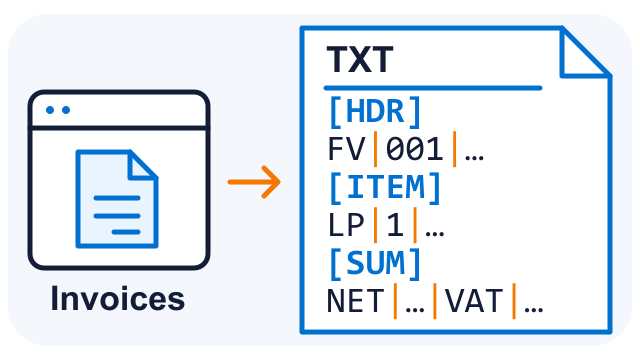
Existing invoicing system
The client keeps the software used for everyday invoicing and produces its existing, non-standard text export.
02
![TXT [HDR] [ITEM] [SUM] → XLSX](https://itprosupport.eu/wp-content/uploads/2026/10/itp-ksef-02-txt-to-xlsx.png)
Import-ready data
We map and normalise the exported information into the XLSX layout accepted by the accounting software.
03
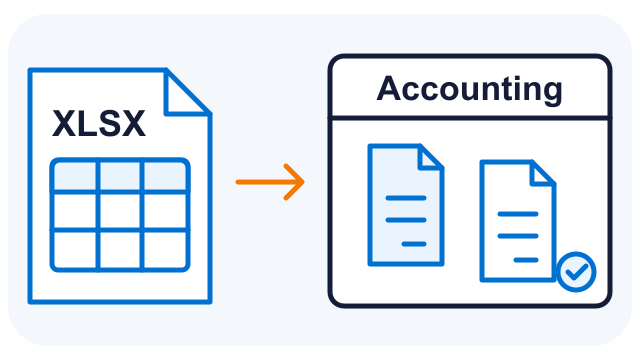
Accounting workflow
The prepared invoices enter the accounting software through its import process. That system handles the connection to KSeF.
04
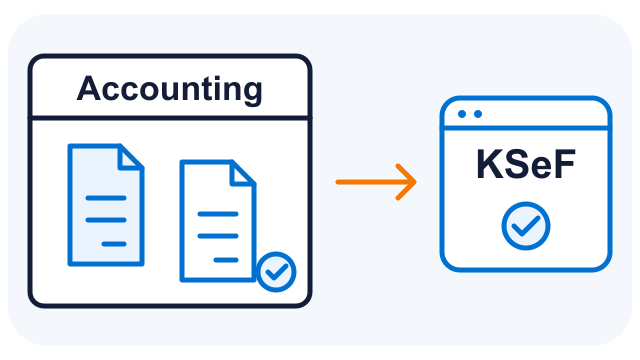
Submission to KSeF
Invoices are submitted through the accounting workflow, using its existing KSeF support.
The TXT structure is illustrative and contains fictional records. It shows tagged blocks and fields separated by “|”, converted into the XLSX layout required by the accounting software.
Next phase: automate the handoff. After the transition, we added the API functionality needed in the client’s software. Data exchange could then run automatically between the existing systems, reducing the routine file-handling steps.
A staged implementation
Solve the immediate obstacle. Then remove the routine work.
01 · A working route
Make the existing export usable
We understood the source records, mapped invoice information into the required XLSX structure and delivered the conversion for the accounting import. The first version was in place the next day.
02 · Further automation
Connect the systems through an API
Once the transitional process was established, we extended the client’s software with the required API functionality. The business could move from preparing files to automated data exchange.
The business benefits
Preserve what works. Connect what is missing.
Keep the system your team knows
The client continued working in its existing invoicing software. There was no need to replace it just to unblock this workflow.
Avoid a separate direct integration
The accounting software handled KSeF connectivity, reducing the need to build, test and maintain a separate direct KSeF connector.
Reduce manual preparation
Consistent field mapping replaced reformatting the unusual export by hand. The later API phase reduced recurring file handling between systems.
Improve in manageable stages
A working conversion solved the immediate problem first. Further automation followed after the transitional workflow was established.
What this approach can solve
A bridge between the tools you already use.
This type of project can be a practical starting point when an existing system still serves the business, but its data cannot reach the next step in the required form.
- A dedicated system produces an unusual export format.
- The next system accepts a specific spreadsheet layout or provides an API.
- Staff repeatedly copy, reformat or move the same data.
- The business needs an initial working solution with a path to further automation.
We review the source data, target requirements, available interfaces and checks needed before agreeing the implementation. The same approach can be adapted to other business data exchanges.
Common questions
What to expect from a similar project
Did the client have to replace its invoicing system?
No. In this project, the existing system remained in use. We connected its data to a workflow supported by the accounting software.
Which system handled KSeF submission?
The accounting software provided the KSeF connection. Our work prepared the invoice data for that workflow and later automated the exchange between the existing systems.
Can file-based integration be automated later?
Yes. This project started with an XLSX import and later moved to automated data exchange through an API. The options for another project depend on the interfaces available in the systems involved.
Could you deliver another project the next day?
The first working conversion in this case was delivered the day after the order. For a new workflow, we review representative exports, the required import and acceptance checks before agreeing a scope and delivery date.
What is stopping your systems from working together?
Show us an anonymised export and explain where the data needs to go. We will help define a practical connection, the first useful step and the options for further automation.