Custom automation · Built around your process
From manual file handling to an organised workflow.
Download files from SFTP, process and organise them using agreed rules, then save a log and email a clear summary to defined recipients. We can build a workflow around your files and requirements, so the team follows a consistent process and knows what happened in each run.
This is a custom implementation service. We agree the inputs, processing, destinations, logging and email recipients, then test, document and hand over the workflow to your team.
From files to a usable result
One clear path through the batch
- 01Collect from SFTP or a folderAn agreed source for each batch.
- 02Apply approved rulesProcess, match and organise your files.
- 03Deliver organised outputsFiles and records ready for the next step.
- 04Report to the right peopleSaved run logs and a clear email summary.
An example we can adapt to your operational requirements.
A practical workflow example
The problem, the solution and the business result.
This example shows how a recurring manual task can become an agreed, documented workflow. We adapt the sequence to your files, people and operating requirements.
Before · Manual work at every step
Employees download files, unpack batches, rename documents and move them into folders manually. Following the correct sequence takes time, and new team members need training to avoid mistakes.
Our solution · One agreed workflow
We build a workflow around your agreed rules: collect files from SFTP or a local folder, check and process them, apply consistent names and organise the outputs. Every step is logged, and designated recipients receive a clear email summary.
The result · Less work, clearer ownership
Less repetitive work, fewer misplaced files and easier handovers between employees. Your team can see what was collected, how it was processed and which items need attention.
What changes for your team
Less routine work. More operational consistency.
Less file chaos
An agreed folder structure and grouping rules make it easier to find the right output. The team follows one documented process instead of organising each batch differently.
Easier staff onboarding
New colleagues learn how to start the workflow, check the summary and handle exceptions. They have fewer file-by-file decisions and naming conventions to memorise.
More time for useful work
Reduce repetitive downloading, unpacking, copying, preparing and sorting files. Staff can concentrate on exceptions and the work that needs human judgement.
An example business workflow
From SFTP collection to a documented result
PDF files and spreadsheet records show one possible implementation. The same approach can be adapted to other file types and additional operations. We define and test the precise inputs, actions, checks and outputs for your business.
01
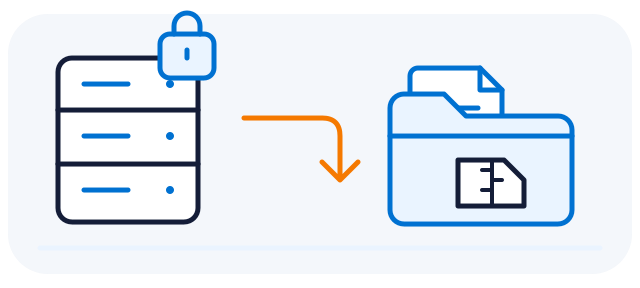
Collect the files
The program collects files or ZIP packages from an agreed SFTP file server or reads them from a local folder. It logs the files collected or read during the current run.
02
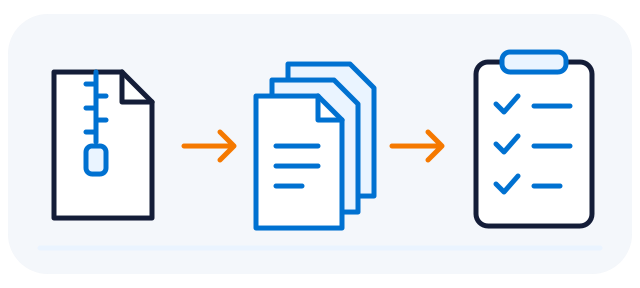
Unpack and check
Unpack packages into the batch workspace. Apply the agreed checks for expected files, naming and structure, and flag exceptions for follow-up.
03
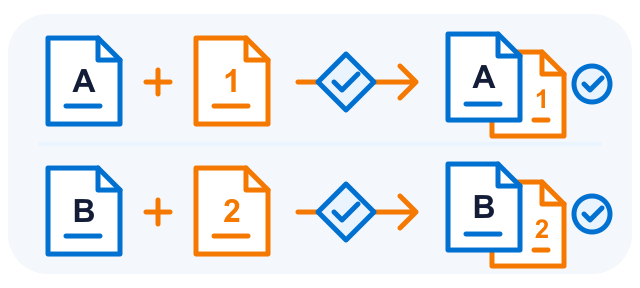
Process the files
The program combines spreadsheet data and appends the appropriate letters to each PDF document type according to agreed rules. For example, type A receives letter 1 and type B receives letter 2. Previously, an employee had to identify the document type, select the right letter and check that each set was complete.
04
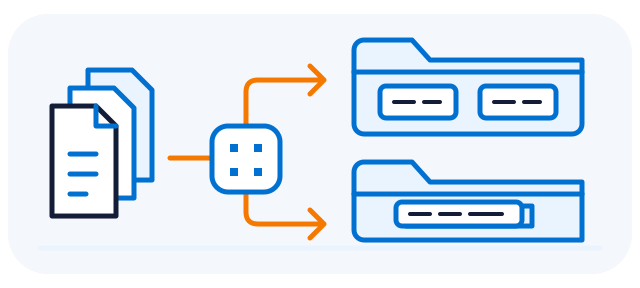
Organise by clear rules
Apply agreed naming, matching and grouping rules. For example, separate PDFs by page count and keep the corresponding records with each group.
05
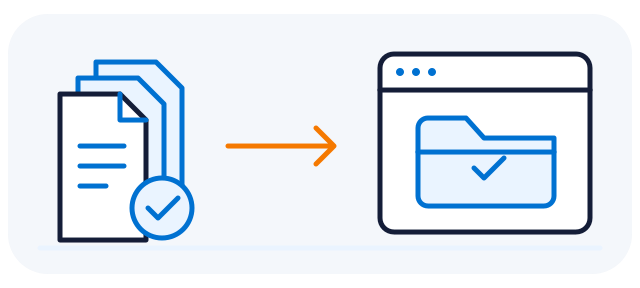
Deliver the outputs
Create the required folders, spreadsheets or import files. Outputs can also be packaged or transferred to an agreed destination as part of the implementation.
06

Email the process summary
Send defined recipients a readable summary of what was downloaded, how files were processed, which outputs were created and any warnings or errors. Keep the detailed log for follow-up.
Error handling, existing files, safe reruns, log detail and email recipients form part of the agreed design and acceptance tests.
Exceptions and recovery
When something needs attention, the next step is clear.
A useful automation also defines how the team handles an unusual batch. Stop, continue-with-warning and retry rules are agreed, configured and tested for your process.
- Flag the issueRecord the failed check or processing step.
- Inform the ownerMake the exception visible in the log and email summary.
- Review the next stepCorrect, approve or restart according to agreed rules.
Missing or mismatched inputs
Identify missing files, unexpected layouts and document references that do not match. We agree which checks should stop processing and which can be reported as warnings.
Connection or processing failures
Keep the failed step and its outcome visible in the run log and summary. We agree who should be notified, what may continue and when a retry needs operator approval.
Duplicates and interrupted runs
Define how to handle existing outputs, repeated batches and partially completed work. The operator reviews the summary and follows the agreed recovery steps before restarting.
A completion message is only the start of the review. The designated person checks the summary and reported exceptions before releasing outputs to the next business step.
Visibility and accountability
See what happened, step by step.
A result folder tells you what was produced. A saved log records how the work progressed, while a readable email summary puts the main results in front of the people who need them. Together, they support accountability, investigation of problems and a clear handover.
When and what ran
Keep the run time, batch reference and input files in the agreed log, so a particular execution can be identified later.
What happened, in order
Record collection, unpacking, processing, organisation and output creation as the run progresses, with results for the configured actions.
Keep the right people informed
Email a clear summary of the received files, processing results and exceptions to defined recipients. The detailed log remains available for investigation.
Each run saves a log and sends the process summary to the configured recipients. We agree the summary content, log storage, access and retention with you. Reported exceptions still need review.
Repeatability is critical
Keep important file decisions governed by rules.
A process your team can understand
We define which inputs are accepted, how records and documents are matched, which preparation steps apply and where outputs go. The same approved rules guide each batch, so the process can be explained, tested and taught.
Repeatability also depends on controlled inputs and batch handling. Before rollout, we agree checks for existing files, duplicates, failures and reruns. When the inputs or rules change, the workflow is updated and tested.
Why we avoid AI guesses here
In fixed operational workflows, asking generative AI to invent a file name, infer a match or choose a destination can introduce inconsistent or incorrect decisions across a batch. That is a material risk when the next step depends on exact, repeatable results.
For the file-handling decisions in this example, we use explicit rules. Cases outside those rules need an agreed exception path, rather than an AI-generated guess.
Generative AI can produce plausible but incorrect or inconsistent output. This general risk is described in the NIST Generative AI Profile.
Additional steps · Made to order
What else could your workflow do?
The example uses PDFs and spreadsheets, but the workflow can be built around other file types. We can extend the same process with the actions below, scoped and tested against your business requirements.
Rename and route files
Build names from agreed identifiers, dates or reference numbers, then place files into the right folders using explicit rules.
Check completeness
Check required files, naming patterns, duplicate identifiers or agreed data fields. Flag missing or inconsistent items for review.
Convert, combine or prepare
Create an agreed output format, combine compatible files, split documents or add an attachment. Each action is adapted to the relevant file format.
Build registers and import files
Combine structured records, create file inventories and prepare the columns or output layouts required by the next system.
Package and archive
Create ZIP packages, organise completed batches and apply the agreed archive structure, retention and duplicate-handling rules.
Transfer and notify
Deliver outputs to SFTP, an agreed shared folder or a defined system integration. Configure who receives the process summary and the information included in it.
Common questions
What to expect from a custom workflow
Is this a ready-made tool we download?
This is an example of custom automation we can implement for your business. We agree the requirements, adapt the workflow, test it with representative files and provide an operational handover.
Does AI decide how the files are handled?
In this example, naming, matching, grouping and output decisions follow explicit rules. A generative model does not invent document matches or choose destinations. The rule set and its acceptance checks are agreed with you.
Can every batch be rerun safely?
Rerun behaviour is part of the delivery scope. We agree how to identify a batch, how to handle existing outputs and duplicates, and which checks an operator must perform. These controls must be tested before production use.
Is this limited to PDF and Excel files?
No. PDF and spreadsheets illustrate one implementation. We can build a workflow around any file type your process uses, including images, CSV data, office documents and archives. The actions applied to each format are agreed and tested for your requirements.
Can we add other processing steps?
Yes. Renaming, completeness checks, format conversion, registers, archiving, onward transfers and notifications are examples of steps we can add to the delivery scope. We agree the rules and expected results, then test them with representative files.
Will we receive a log and an email summary?
Yes. Each run saves a detailed log and sends a readable summary to the recipients defined for the process. The email outlines what was downloaded, how it was processed, the outputs and any warnings or errors. We agree the recipients, summary content, log storage, access and retention with you.
Can it work with our existing file layouts?
We assess your inputs first. The folder structure, file formats, identifiers, processing steps and outputs can be adapted as part of the project. A new layout or a changed business rule requires an agreed update and testing.
Will the team still need training?
Yes. A documented workflow can make onboarding simpler, because staff learn a consistent sequence and clear exception handling. We include operating instructions and agree the training needed for your team.
Where will the workflow run?
We agree the operating environment, authorised file-transfer locations, access and onward destinations before implementation. The deployment and any connections are tailored to your requirements.
Which batch task would you like to make repeatable?
Show us the inputs, the manual steps and the result your team needs. We will define a practical scope and test the workflow against agreed acceptance criteria.